*Kingdom Come: Deliverance 2* is a visually stunning game, particularly when played in fidelity mode. If you're looking to take a break from the intense combat and quests to capture some of its beauty, here's a comprehensive guide on how to use the photo mode in *Kingdom Come: Deliverance 2*.
How to Activate Photo Mode in Kingdom Come: Deliverance 2
Unlike some games that may receive a photo mode through a later patch or never at all (yes, *Elden Ring*, we're looking at you), *Kingdom Come: Deliverance 2* comes equipped with a photo mode right from launch. Here's how you can activate it:
- PC – Press F1 on your keyboard, or press L3 and R3 simultaneously if you're using a joypad.
- Xbox Series X|S / PlayStation 5 – Press L3 and R3 together on your joypad. If you're unsure, L3 and R3 refer to pressing both joysticks in at the same time. Once activated, time will pause, and you'll enter photo mode!
How to Use Photo Mode in Kingdom Come: Deliverance 2
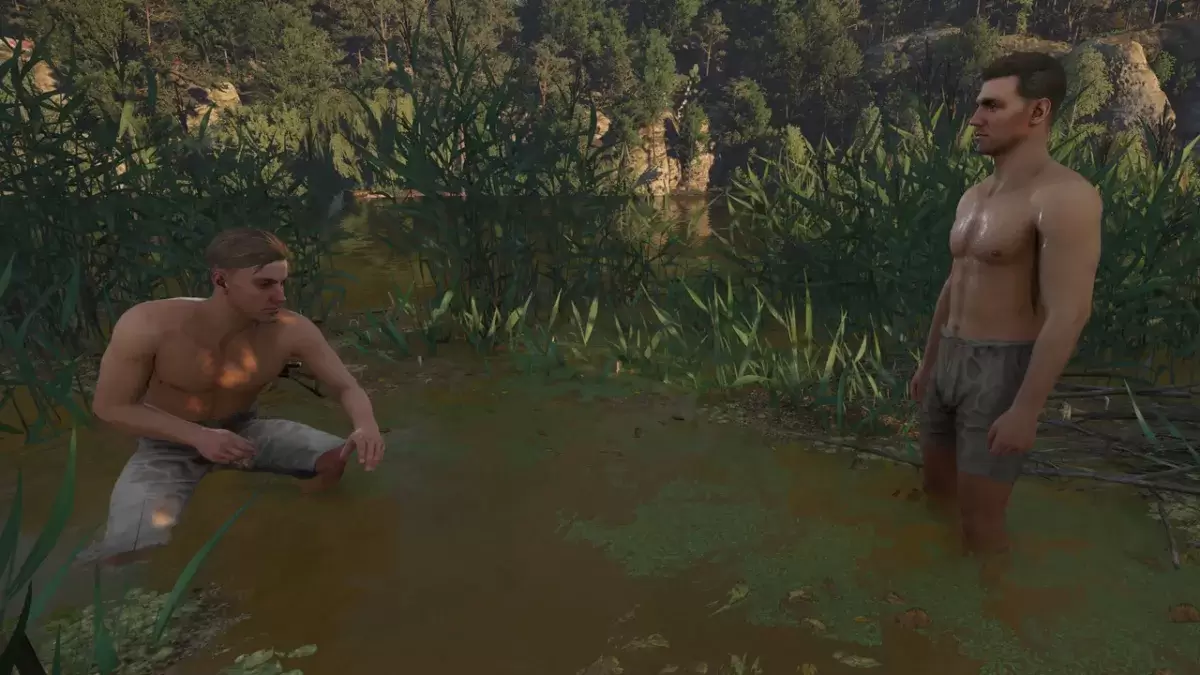
Once you're in photo mode, you have the freedom to move the camera around Henry, fly up or down for better angles, and zoom in or out. Whether you want to capture a close-up of Henry's boots or a panoramic view of the landscape, here are the controls for each platform:
- Xbox Series X|S:
- Rotate camera – Left Stick
- Move camera horizontally – Right Stick
- Move camera up – Left Trigger/LT
- Move camera down – Right Trigger/RT
- Hide Interface – X
- Exit photo mode – B
- Take picture – Press Xbox button then Y.
- PlayStation 5:
- Rotate camera – Left Stick
- Move camera horizontally – Right Stick
- Move camera up – Left Trigger/L2
- Move camera down – Right Trigger/R2
- Hide interface – Square
- Exit photo mode – Circle
- Take picture – Hit Share button and choose Take Screenshot (or hold down Share).
- PC (keyboard and mouse):
- Move camera – Use mouse
- Slow move – Caps Lock
- Hide interface – X
- Exit photo mode – Esc
- Take picture – E
On PC, your screenshots will be saved to your pictures folder, while on consoles, they'll be stored in your console's capture gallery.
What Can You Do in Kingdom Come: Deliverance 2’s Photo Mode?
Currently, the photo mode in *Kingdom Come: Deliverance 2* is somewhat limited in its features. You can take pictures from various positions within a certain distance of Henry, but it lacks the advanced options found in other games' photo modes. For instance, you won't find options to pose or hide characters, alter the scene's color tone, change the time of day, or insert characters from different parts of the game.
While the current photo mode is basic, there's hope that Warhorse Studios might introduce more features in future updates. For now, it's a straightforward tool for capturing the game's beauty, and we're grateful it's included at launch.
Related: Best Kingdom Come: Deliverance 2 Mods
And that's how you can use the photo mode in *Kingdom Come: Deliverance 2* to capture its stunning visuals.