mcpro24fps: Elevate Your Mobile Filmmaking with Professional-Grade Features
mcpro24fps is a professional video camera application designed exclusively for Android devices, offering videographers advanced features and controls previously only available on high-end camcorders. It empowers users to capture cinematic masterpieces directly from their smartphones by providing features such as shooting in 10-bit, recording video in Log without GPU, and support for HLG/HDR10 HDR video.
Filming in 10-bit
The introduction of 10-bit shooting with mcpro24fps represents a groundbreaking leap in mobile filmmaking, transcending the limitations of traditional smartphone cameras. This feature, previously reserved for professional-grade camcorders, revolutionizes the way users capture and express their creative vision. By offering unparalleled control over color depth and dynamic range, mcpro24fps enables filmmakers to produce footage that is not only visually stunning but also brimming with intricate detail and subtle nuances.
The integration of recording video in Log without GPU further enhances the app's capabilities, providing filmmakers with the freedom to explore advanced color grading techniques and post-production manipulation typically associated with high-end cinematic productions. With the support of technical LUTs for seamless interpretation of log and on-screen LUT for precise control during shooting, mcpro24fps empowers videographers to push the boundaries of what's achievable in mobile filmmaking, paving the way for a new era of cinematic expression on the go.
High Precision and Customization
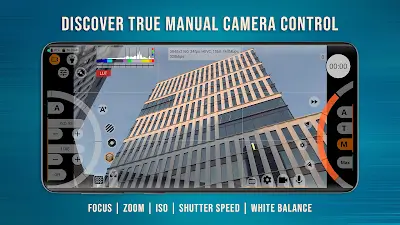
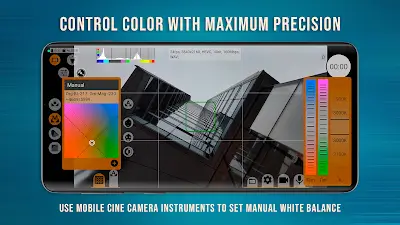
With mcpro24fps, precision and customization are elevated to an entirely new level, empowering users to craft their cinematic vision with meticulous detail. Gone are the days of relying on auto-settings; instead, users take control of every aspect of their shot. Whether it's fine-tuning the white balance in Kelvins to achieve the perfect color temperature or programming focus and zoom functions for precise framing, mcpro24fps puts the power in the hands of the filmmaker. Its responsive interface ensures that adjusting settings on the fly is seamless, allowing users to stay focused on capturing the moment without interruption.
Whether you're a seasoned professional seeking ultimate control or a newcomer exploring the world of filmmaking, mcpro24fps caters to your needs with its support for multiple cameras, customizable settings tailored to each camera, and a wide array of advanced features. In essence, mcpro24fps redefines the concept of precision and customization, making it the go-to tool for filmmakers striving to achieve perfection in every frame.
Enhance the Visual and Audio Quality
mcpro24fps isn't just about capturing footage—it's about elevating it to its full potential. With optical and digital video image stabilization, your shots are guaranteed to be smooth and steady, regardless of the environment. And with support for various sound sources and sampling rates, coupled with the ability to integrate WAV into MP4, your audio will be as crisp and clear as your visuals.
In a world where storytelling is king, mcpro24fps stands tall as the ultimate tool for videographers looking to push the boundaries of what's possible. With its professional-grade features, intuitive interface, and unparalleled customization options, this app is a must-have for anyone looking to unlock their full creative potential. So why wait? Download mcpro24fps today and start capturing Cinematic brilliance, right from your Android device.