

Simple & Fast Setup - Wi-Fi, Mobile Data, Bluetooth, GPS, Ringtones, Vibration, Brightness.
Smart Quick Settings is designed to meet the needs of users who want an easy and fast way to manage Android settings across various devices and versions, featuring an optimized UI/UX.
All device settings adjustable directly within the Smart Quick Settings app are developed and maintained in-house.
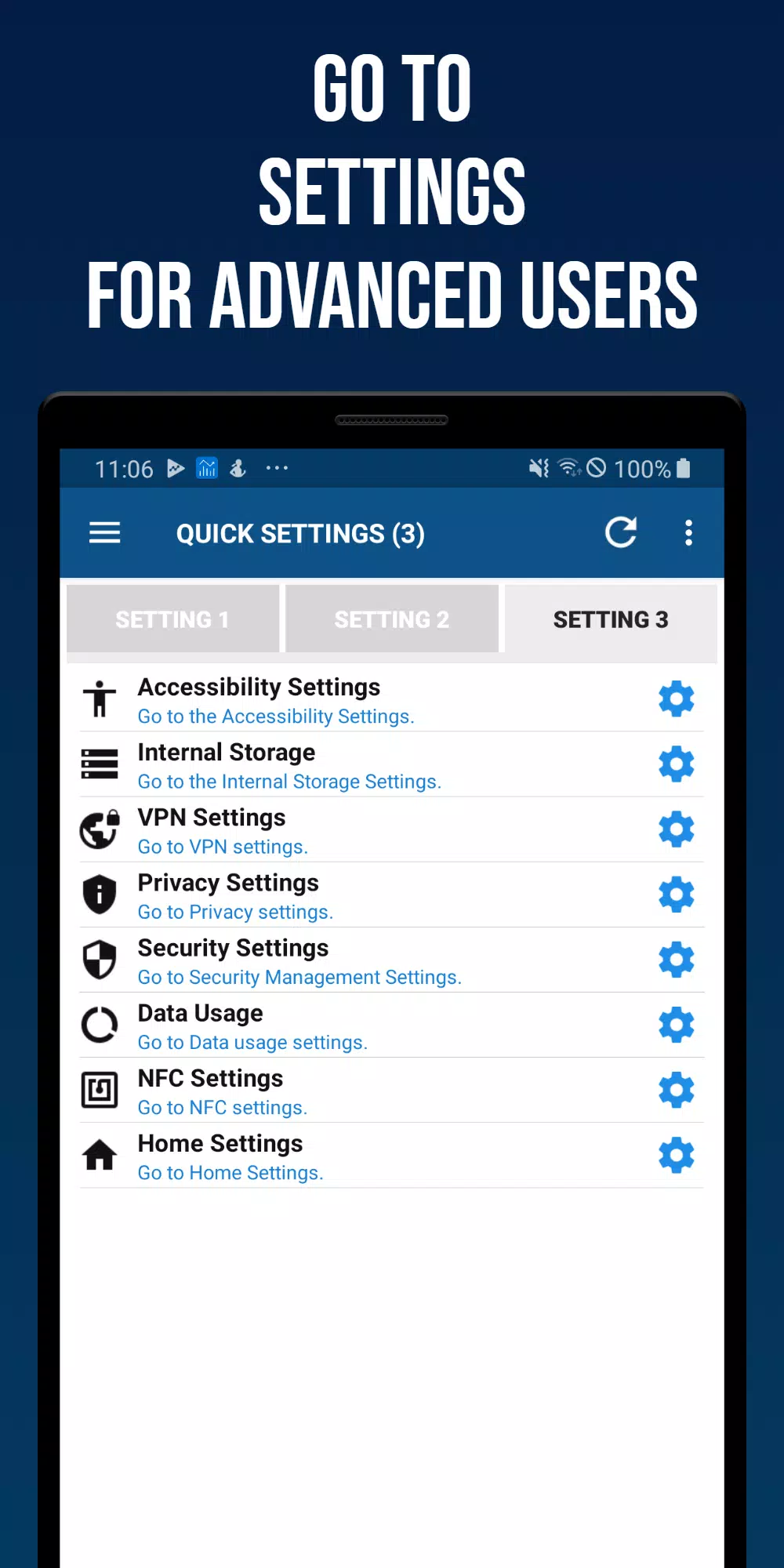
Where native device settings must be accessed, the app offers quick and seamless redirection to the appropriate settings page.
It also provides features to easily review the current status of each setting.
Focused on user experience, the Smart Quick Settings app has evolved over 10 years thanks to ongoing customer support and engagement.
■ Key Features of the Smart Quick Settings App
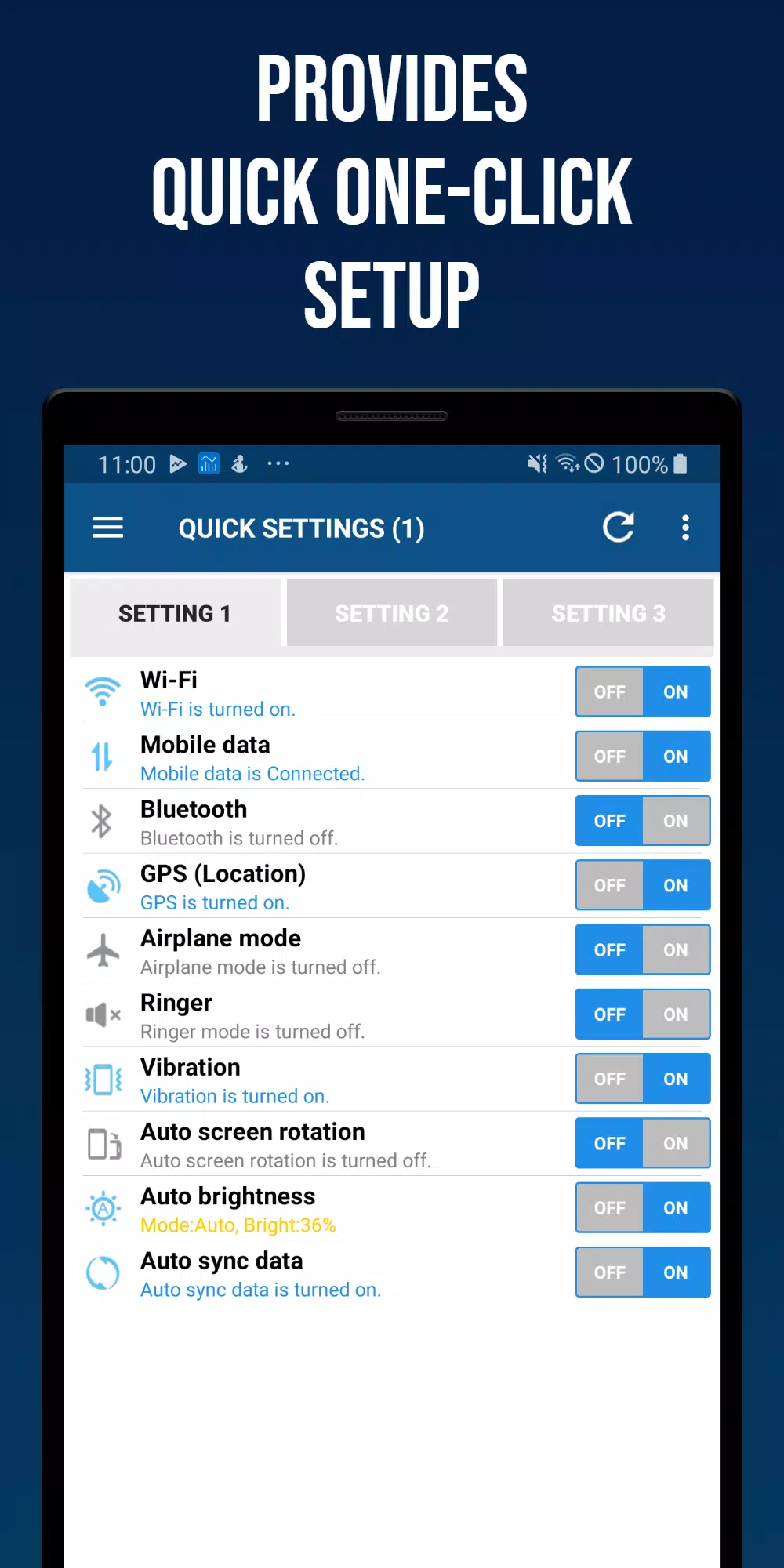
- Wi-Fi
Check Wi-Fi status and access quick settings instantly.
- Mobile Data
View mobile data (3G, LTE) status and jump to settings with one tap.
- GPS
Monitor GPS signal status and quickly access location settings.
- Flight Mode
Check flight mode status and toggle it rapidly.
- Ringtone Settings
Turn ringtone on or off, with support for advanced sound options.
- Vibration Settings
Switch between vibration and sound modes, including detailed vibration controls.
- Bluetooth
Toggle Bluetooth on/off and open Bluetooth settings quickly.
- Screen Auto Rotation
Enable or disable screen rotation, or lock the screen orientation.
- Screen Auto Brightness
Choose auto-brightness or adjust brightness manually.
- Auto Sync
Turn auto-sync on or off with one touch.
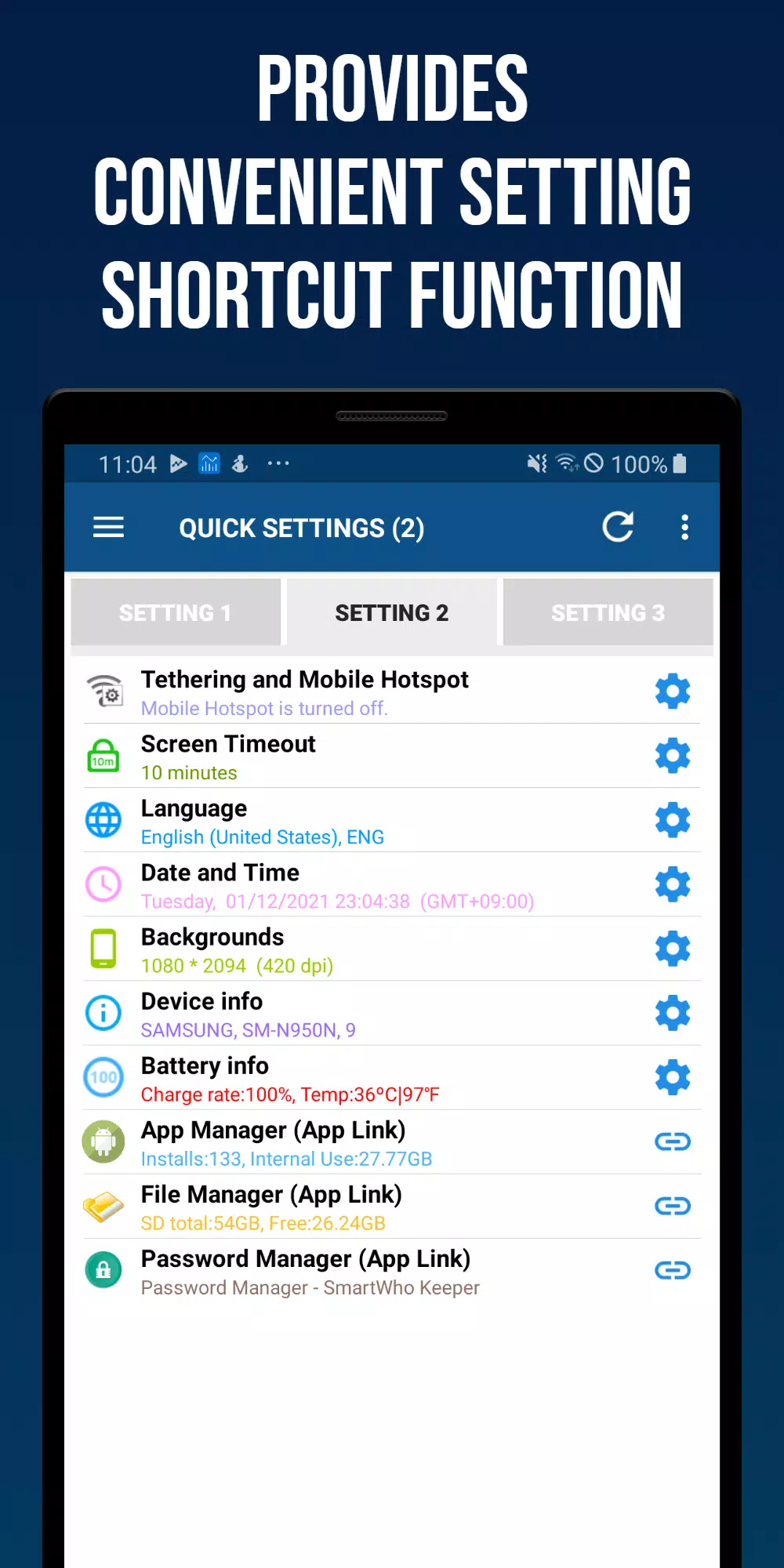
- Tethering and Mobile Hotspot
Gain quick access to tethering and mobile hotspot settings.
- Screen Auto-Off Time
Review screen timeout duration and open related settings.
- Language
Check the device’s current language and open language settings directly.
- Date and Time
Verify auto-sync with time servers, adjust time zones, modify date/time formats, and more.
- Wallpaper (lock or home screen)
Quickly change your home or lock screen wallpaper with a direct settings link.
- Battery Information
View battery level and temperature, with a shortcut to battery settings.
- Device Information
Access manufacturer, device name, model number, and Android version details.
- App Manager
See the number of installed apps and internal storage usage; launch SmartWho's Smart App Manager for advanced app management.
- Password Manager
Launch Password Manager, a dedicated password management tool by SmartWho.
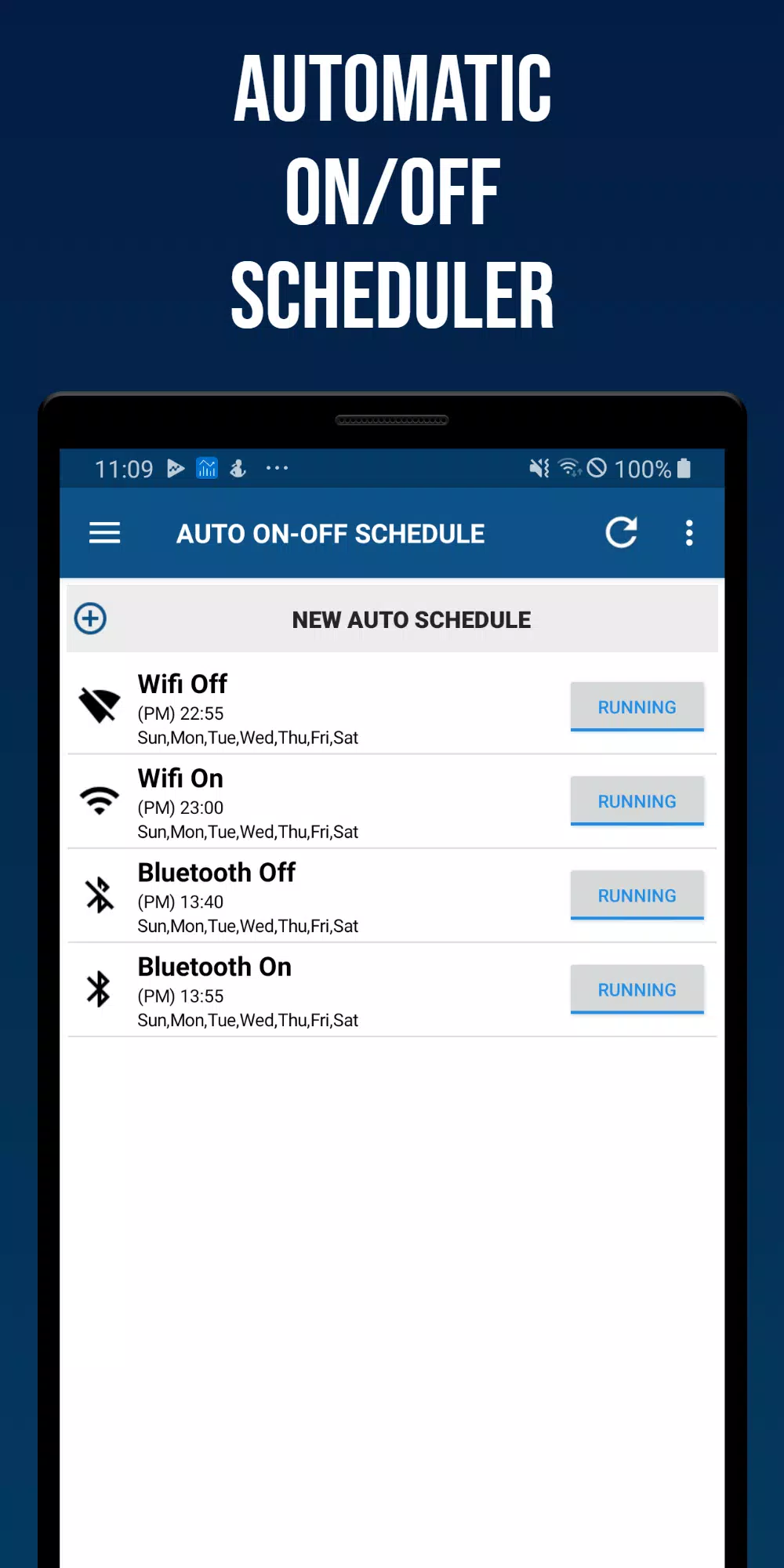
■ Auto On-Off Scheduler
Automatically enable or disable Wi-Fi, Bluetooth, vibration, sound, screen brightness, auto-sync, and screen rotation based on your chosen time and day.
■ Settings
Status bar customization and reset options.
■ Home Screen Widgets
- (4X1) Smart Quick Settings Widget 1
- (4X1) Smart Quick Settings Widget 2
- (4X2) Smart Quick Settings Widget 3




















![xnxx app [Always new movies]](https://images.lgjyh.com/uploads/97/17200569726685fc8cd0162.png)





